Zoom Workplace
App preview
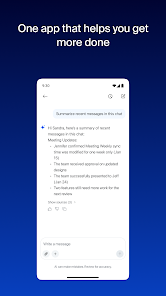
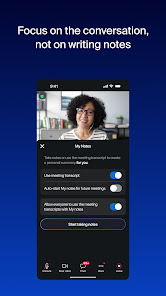
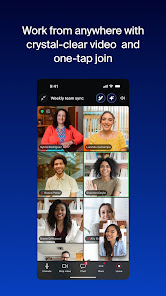
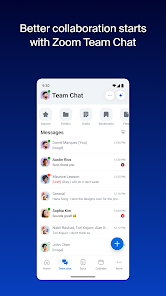
Images supplied with this app listing.
Zoom Workplace is an Android collaboration app that brings meetings, Team Chat, phone features, documents, whiteboards, calendar, and email into one service. Its Google Play listing describes joining or scheduling a video call, moving a live call between devices, using Picture in Picture on phones, and Split Screen on tablets. It also advertises AI-assisted notes and summaries, but warns that some features require a paid Zoom Workplace subscription or another license. The app is free to download; the capabilities your account actually receives depend on its current plan and administrator settings.
Meetings are only one part of the workflow
For a straightforward video meeting, the mobile app can join or schedule a call with a tap. Team Chat keeps messages available before and after the call, reducing the need to reconstruct decisions from memory. Zoom Docs and Whiteboard support written work and visual brainstorming, while a calendar can anchor the next step. These pieces are useful when a team needs continuity, not just a temporary video window. A good meeting routine is to share the agenda first, record decisions in an accessible place, and decide who owns each action afterward.
Zoom's description also mentions direct phone calls and SMS through Zoom Phone, but it marks that service as license-dependent. Do not plan to replace your carrier or business phone system until your organization confirms it has the relevant Zoom Phone entitlement and local availability. The same caution applies to Zoom Rooms integration and some security or single-sign-on options.
What the AI features may help with
The official listing describes meeting preparation, AI-generated notes or summaries, catching up on unread chat, and drafting messages with work context. These can save time when they are available to your account, but a generated summary still needs a human check. Confirm names, deadlines, and decisions before forwarding it as a record of what everyone agreed. If a conversation includes sensitive material, review your organization's rules and the feature's current data settings before enabling an assistant.
AI tools should also not become a reason to skip clear meeting habits. A document with an ambiguous decision will remain ambiguous even if it is summarized quickly. Assign an owner, keep a short written action list, and use the app's collaboration features to make that list accessible. This is an editorial workflow recommendation, not a claim that we tested a particular paid AI plan.
Moving between devices
Zoom says a live video or phone call can be transferred between devices with a tap. That can be useful when you leave a desk, but test the behavior on your account before relying on it during an important presentation. Android's Picture in Picture and tablet Split Screen may help you consult notes while listening, subject to device support and settings. If you are presenting, check what the audience can see when switching apps or sharing a screen. A mistaken screen share can expose more information than an ordinary camera view.
For a simpler calendar-centered schedule, Google Calendar is a useful complement. For storing meeting materials and controlling access to them, Google Drive addresses a different part of the process. Zoom Workplace aims to keep these steps closer together, but a team may already have established tools for some of them.
Zoom or another group platform?
Microsoft Teams also combines meetings, chat, channels, and documents, particularly for groups already using Microsoft tools. Discord is more oriented toward persistent communities and drop-in voice. Zoom Workplace is a strong candidate when scheduled meetings, cross-device calling, and formal collaboration are the central requirements. The best choice often depends less on one isolated feature than on which accounts, calendars, and documents a group already uses.
Before installing for work
Check the live Google Play listing for compatibility and permissions, and ask your administrator which features your license enables. A free installation does not imply free Zoom Phone, advanced AI, or enterprise controls. Test joining a meeting, audio routing, screen sharing, and notification behavior before an important call. We have not measured latency or security posture for a particular organization. This guide explains the official Android feature list and the decisions that affect a real workplace rollout.
A five-minute meeting check
Open the invitation before the start time and confirm you are signed in to the intended account. Check whether sound will use the phone speaker, a headset, or another device. If you may share content, open only the document or app needed and close unrelated notifications. Know where Team Chat will hold a follow-up link and who will capture decisions. Finally, test leaving and rejoining a low-stakes call so the interface is familiar. None of these steps requires a paid add-on, but the exact buttons and organization policies should be verified in your current version.
This preparation matters more on a phone than it may appear: a small screen and changing network can make it harder to find a file while several people are waiting. If the meeting is important, keep a second way to reach the organizer. The app supports switching between devices, but that is easier to use confidently after a rehearsal than as an emergency discovery during a live call.
Official source: Zoom Workplace on Google Play.
App information
- Title
- Zoom Workplace
- Category
- Communication
- Platform
- Android
- Download
- Open link