Microsoft Teams
App preview
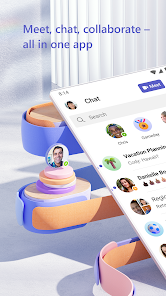
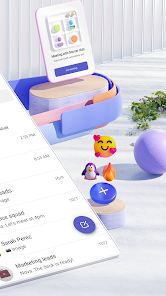
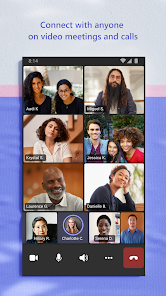
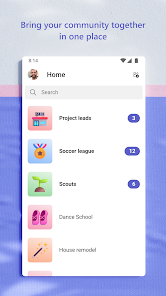
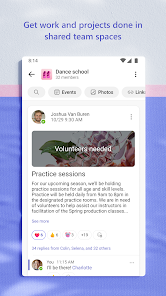
Images supplied with this app listing.
Microsoft Teams brings chats, meetings, channels, shared files, tasks, and calendars into one Android app. The official listing describes both personal communities and workplace collaboration, but it also draws a clear line between Microsoft-account community features and commercial features that require a Microsoft 365 subscription or trial. Before installing it for a group, decide whether you are organizing friends, a volunteer community, or employees; the account type affects what you can use and who controls the information.
Choose a conversation structure people can follow
A direct chat works for a quick one-to-one question. A group chat lets several people coordinate a short task. Teams and channels are more useful when conversations need lasting topics or project boundaries. Microsoft says communities can collect events, photos, links, and files in one place for personal-account groups. If a group starts as one crowded chat, important decisions can disappear between casual messages; move recurring topics into a structure that members can find later.
Use a descriptive channel or community name and put the latest plan where newcomers can see it. Reserve @mentions for people whose response is actually needed, rather than notifying the whole group for every update. The listing says owners of communities can remove inappropriate content or members. That makes ownership a practical responsibility: agree on moderation and membership rules before inviting a large public group.
From chat to meeting
Teams supports audio and video calls, and Microsoft says a group chat can become a call. A meeting link or calendar invite is useful when participants are outside the current conversation. For an efficient meeting, send the purpose and any pre-read material beforehand, then use chat for links that participants may need after the call. Screen sharing, whiteboards, and breakout rooms are described in the store listing, but availability can depend on the account and meeting setup.
A mobile screen is excellent for joining while traveling; it is less comfortable for reviewing a dense spreadsheet at the same time as a shared presentation. If you expect to present a complex file, test the workflow on the device you will actually use. Confirm microphone and camera permissions in Android settings, and check the active device before the meeting begins. None of this implies that we measured call quality on a particular network.
Files, tasks, and access
The app's cloud storage and document collaboration aim to keep project material near the conversation about it. Microsoft also lists shared task lists with assignments and due dates. A useful pattern is to end a planning meeting with a few named tasks, each with an owner and date, then link the relevant file in the same group space. That turns a discussion into an actionable plan without forcing members to reconstruct it from the chat history.
Access control matters when people join or leave. Microsoft emphasizes managing who can see information, but a team's settings still need to be configured by the organizer. Review membership and sharing before posting confidential files. A link that is convenient for a public event might be wrong for an internal budget. For file-centric collaboration, compare Google Drive; for a simpler voice-first gaming community, Discord answers a different need. These products overlap in communication, not in every permission or licensing detail.
Personal Teams and work Teams are not identical
Microsoft's Play description says some community functions are available with a Microsoft account. It also states that commercial features require a paid Microsoft 365 commercial subscription or a trial. Therefore, a free personal installation does not guarantee access to an employer's work features, and an employer's tenant may impose its own sign-in and sharing policies. If you are joining an organization, ask its administrator which account to use and whether mobile access is allowed.
The listing says Skype chats, calls, and contacts are part of Teams Free. Someone moving from Skype should verify what transferred under the current service rules rather than assuming every older setting or conversation appears identically. Check Microsoft support for migration details specific to your account. Likewise, feature names, trial conditions, and available meeting limits can change; avoid building a public event around a limit remembered from an older article.
Make mobile notifications useful
With many chats and channels, notifications can become the main source of friction. Keep alerts for urgent groups, quiet those that only need periodic review, and tell colleagues when you are available for immediate replies. Store decisions in a document or designated channel rather than relying on a push notification that disappears. When a calendar event includes meeting notes and pre-reads, participants can prepare without searching several threads.
Teams is a good fit for a group that benefits from connected meetings, chat, files, and assigned work. It can be excessive for a single occasional call. Its value depends on thoughtful group structure and the right license, not merely having every feature in one app. Verify current permissions, compatibility, account options, and commercial terms in the official listing and your organization's documentation before relying on it.
Official source: Microsoft Teams on Google Play.
App information
- Title
- Microsoft Teams
- Category
- Communication
- Platform
- Android
- Download
- Open link