Discord
App preview
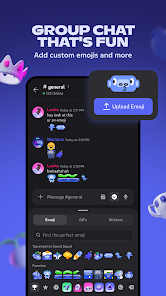
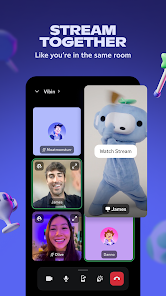
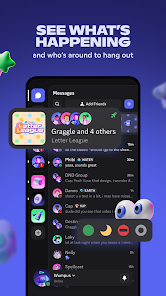
Images supplied with this app listing.
Discord is a communication app built around persistent spaces for groups rather than a single stream of phone calls. Its official Google Play listing highlights text, voice, video, low-latency streaming, custom emoji and stickers, profile settings, and the ability to move between phone, PC, and console. It is especially relevant to people who meet around games, but the same structure can support a study group or a hobby community. The Android app is free to download; check the current in-app and store terms before assuming every cosmetic or advanced option is included.
Why a server feels different from a group chat
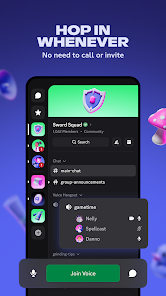
Discord lets a community keep conversations in a dedicated space rather than repeatedly starting a new call. Text discussions can continue while people are away, and voice spaces let available members join and leave without asking everyone to answer at once. That is useful for a game group whose members have different schedules: someone can post a plan earlier, another can join voice during a match, and the rest can catch up later. The official listing also mentions managing multiple group chats, so a user should decide which spaces deserve notifications instead of treating every message as equally urgent.
For a small private group, begin with a clear purpose for each conversation area. Too many separate channels can make a new member unsure where to speak; too few can mix event plans, help requests, and casual chatter into one noisy feed. This is editorial organization advice based on the app's group structure, not a claim that one layout is required by Discord. A community owner should also review current member and moderation controls in the live app before inviting a large public audience.
Voice, video, and streaming serve different moments
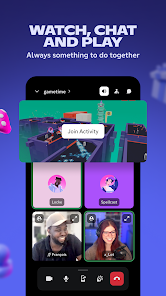
The Play description emphasizes joining voice without a conventional call invitation. That suits a group that wants to talk while playing, studying, or watching together. Video is better when facial cues matter, and streaming lets someone share what is happening on a screen. Discord describes its streams as low-latency, but we have not measured delay on a particular network. If the experience stutters, check your connection and the live app's quality settings rather than assuming the same result on every phone.
The app also offers built-in games, video watching, music, and other shared activities. Those are ways to spend time together, not a guarantee that every feature is available in all regions or group configurations. Decide whether the group primarily needs a place to coordinate or a place to hang out; that choice will determine whether persistent text, drop-in voice, or media sharing matters most.
Set up a useful Android routine
After joining a group, adjust your profile and status so people can recognize you, then review notification settings for the communities that matter. The store names custom emoji, stickers, and soundboard effects, but personalization can become distracting if every conversation triggers an alert. Keep critical event or friend messages visible and reduce noise from busier spaces. If you use Discord on both phone and computer, learn where an ongoing conversation appears on each device before relying on your phone as the only place to find it.
Discord can show information about supported games a friend is playing and may offer a way to join them directly. “Supported” is an important qualifier: not every title or platform exposes the same activity. If that feature is the reason you install, verify it with the actual game you play rather than treating it as universal.
How it compares with messaging alternatives
WhatsApp Messenger is a straightforward choice for contacts and familiar group conversations. Telegram also handles group communication, while Discord puts particular emphasis on community spaces and drop-in voice around shared activities. A group that only needs occasional direct messages may not benefit from managing a server; a group that repeatedly plays or organizes events may find the persistent structure more useful. The correct choice also depends on where your members already have accounts.
Account, safety, and cost questions
Creating or joining a community means deciding who can contact you, what you share in a profile, and which notifications reach your device. Review the current privacy, block, and reporting options in Discord itself. Do not assume a public server is a private conversation or that a shared stream contains no personal information. The official Play listing establishes the core chat and streaming functions, but account rules, regional availability, and any paid extras can change, so check the live terms before paying or inviting others.
Discord is best for people who want a recurring group space that can move fluidly between text, voice, and shared media. If you need a single formal meeting with an agenda, Zoom Workplace may be a more direct comparison. This page explains the published feature set and practical setup choices, not a hands-on quality benchmark.
Official source: Discord on Google Play.
App information
- Title
- Discord
- Category
- Communication
- Platform
- Android
- Download
- Open link