Canva
App preview
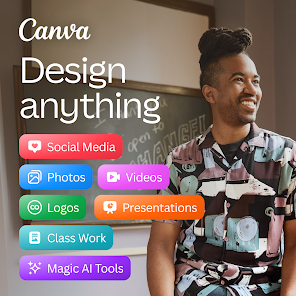
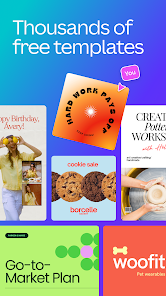
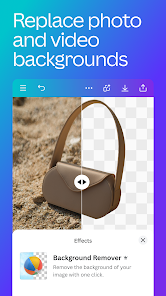
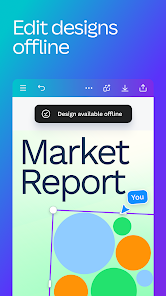
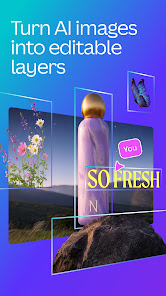
Images supplied with this app listing.
Canva is a design app for people who need to turn an idea into a social post, presentation, flyer, short video, or other shareable visual without beginning from a blank professional editor. Its Android listing combines templates, photo and video editing, a content library, collaboration, and AI-assisted tools. The main choice is not whether it can produce a graphic; it is whether its template-led workflow and current free-plan limits fit the project. Teams managing a brand may also need paid assets or controls that a casual personal design does not.
Start with the output, not the template gallery
Decide where the design will appear before choosing a layout. An Instagram post, a presentation slide, a printable invitation, and a video thumbnail have different dimensions and reading conditions. Canva supplies starting templates for social posts, resumes, flyers, slides, collages, and logos. Pick the format first, then replace the sample text and imagery with material you are allowed to use. A template can solve the layout problem quickly, but it cannot verify the accuracy of your copy or give a generic logo a distinctive identity.
For a recurring series, keep typography, colors, and spacing consistent from one post to the next. Duplicate a working design and change only the elements that need a new message. If several people contribute, agree on which version is final before exporting; otherwise a collaborator may publish an older draft. Canva's listing describes real-time collaboration and cloud storage for video work. Check the sharing permissions on a design before distributing an edit link outside the intended team.
Photo editing and AI tools solve different problems
The basic image workflow includes cropping, flipping, brightness and contrast adjustments, text overlays, grids, filters, and collages. These tools help when the source image is already suitable but needs a cleaner frame or a consistent treatment. Background erasing, Magic Edit, Magic Eraser, and text-to-image creation are described separately on the Play page. They can change what an image depicts, so inspect faces, product details, logos, and small text after an automated edit. A polished image is not automatically an accurate representation of a product.
Canva also describes Magic Design, which can propose designs from an uploaded image, and translation of designs into many languages. For multilingual graphics, examine the finished text rather than assuming the layout still fits after translation. A translated phrase may be longer, break across lines, or obscure a button. If the graphic contains a legal statement, pricing, or instructions, a person who knows the target language should review it before publication.
What the mobile video editor is useful for
Canva's video tools cover trimming and resizing clips, animations, transitions, audio tracks, slow motion, reversed playback, subtitles, and a background change for green-screen footage. Beat Sync can align edits with music, while caption translation is presented as another assisted feature. This makes the app useful for a short announcement or social reel built from a small set of clips. It is less clearly suited to someone whose primary need is detailed multitrack control; compare CapCut when timeline-centered editing is the main job.
A practical mobile sequence is to assemble the shots in story order, cut long pauses, add legible captions, then apply transitions only where they clarify a change of scene. Play the export with sound on and off: many viewers will encounter a social video muted, so important information should survive in text. Check the dimensions and playback after saving rather than assuming the editor's preview matches the destination platform. Music availability may vary by region, as Canva itself notes.
Free use, Pro, and asset rights
The current Play description presents Canva as free to install and describes a library of free images, video, audio, fonts, and templates. It also identifies Canva Pro benefits including premium assets, one-click background removal, Magic Resize, Brand Hub, and post scheduling. The exact availability of an individual template or AI action can change with account type and product updates. Before building a client deliverable around an asset, check whether it carries a paid badge and whether your intended use fits its current license.
The listing says the editor can make designs without ads or watermarks, but that does not mean every stock asset or advanced feature is free. Review the export screen and account plan before promising a collaborator a particular download. For a shared brand, the ability to maintain logos, colors, and fonts matters more than the number of decorative elements. Avoid treating a generated logo as trademark-clear without separate checking; a design tool does not perform legal clearance.
Who should choose Canva?
It is a strong match for students, small teams, creators, and community organizers who need many visual formats from a phone and value repeatable layouts. It may be a poor match if your job depends on exact print production specifications, complex video post-production, or a fully custom illustration workflow. Canva lowers the starting effort, not the need for editorial review. Review each export for readable type, source attribution where needed, and obvious AI-generated errors before sharing it.
For a document that must remain a structured PDF rather than a social graphic, Adobe Acrobat Reader addresses a different stage of the workflow. You can design a handout in Canva and then inspect the exported PDF in a dedicated reader. Current compatibility, features, subscription terms, and regional content availability should be confirmed on the official store page before installation.
Official source: Canva on Google Play.