Google Drive
App preview
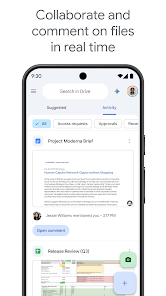
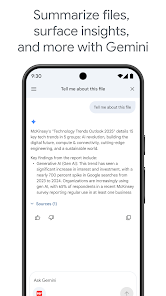
Images supplied with this app listing.
Google Drive is an Android file-storage and collaboration app for keeping documents accessible across devices. Its official Google Play listing highlights upload and search, PDFs and Office files, camera scanning, offline access, sharing permissions, and tablet-friendly side-by-side views. The free Google account quota is 15 GB shared across Drive, Gmail, and Google Photos; it is not a separate 15 GB for each service. Extra storage and some workplace features can require a paid plan. That shared quota is the first fact to understand before treating Drive as an unlimited backup folder.
Organize files so search remains useful
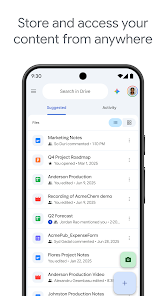
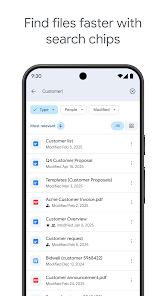
Drive can store and edit more than one hundred file types, according to Google, including PDFs, Office files, and videos. The app can search by file name or content and filter by type or last modification date. Those tools are powerful, but they do not replace a sensible folder and naming system. If a team has three files named “final,” searching by name will not reliably tell people which one is approved. Give important documents descriptive titles, group related material, and remove or archive obsolete versions according to your own retention needs.
Recent and important files are surfaced quickly in the app. That is helpful for repeated work, but do not assume a recently opened item is the current master copy. Check who owns a shared file and when it was last changed. On tablets, Google's listing mentions side-by-side viewing and drag-and-drop, which can make organizing a folder easier than using a narrow phone screen; the actual experience still depends on the device and Android version.
Sharing is a permissions decision
Drive lets you share files or folders and set permissions. Before sending a link, decide whether the recipient should only view, comment on, or edit the material. An editable folder can expose more than the one document you intended to share, so inspect its contents and audience. If a link leaves your organization, verify that the current sharing settings allow the right people and no one else. Google's description also lists notifications about important file activity, which can help a group notice changes without sending another copy of the document.
Google Workspace subscribers have additional options, such as shared drives, direct sharing to groups, administrative controls, and electronic-signature workflows. Those should not be presented as automatically included with every free personal account. If a specific Workspace feature is essential, confirm your organization's plan and administrator settings before designing a process around it.
Offline access and scanning in practice
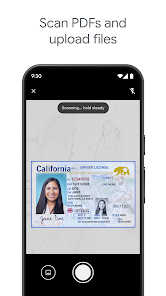
The Play listing says Drive can show selected content on the go while offline and can scan paper documents with a phone camera. For travel, choose the files you need before leaving a reliable connection and confirm they open when offline. Do not assume every cloud file is automatically available without data. For paper records, scan in good light, check that every page is readable, and give the resulting file a name that a future search will find. For a more PDF-focused scanning and annotation workflow, compare CamScanner or Adobe Acrobat Reader.
The camera workflow is convenient, but an image of a document can still be incomplete or contain sensitive information. Review the scan before sharing, especially if the page includes a signature or account details. The store description establishes that scanning is available; it is not a guarantee that every photographed document will be perfectly recognized.
Storage costs and connected Google apps
Google says the 15 GB account allocation is shared with Gmail and Google Photos. A large video backup in Photos can reduce space available for Drive documents, and attachments or mail can contribute to the same account usage. Check your storage dashboard before buying more space. The Play description mentions Google One as an upgrade path and gives a US starting example, but prices and plans vary by region and can change. Use the current official offer rather than a number copied into an evergreen guide.
Who needs Drive?
Drive makes sense if your files need to follow you between devices or be shared with controlled access. It is less useful as a set-and-forget dumping ground if no one knows which files are current or who can view them. A good first setup is to create a few clear folders, upload one representative document, test a restricted share, and mark a travel-critical file for offline access. That simple trial reveals whether Drive's collaboration model fits your work before moving a large archive.
The official Google Play page should be used for current compatibility, permissions, pricing, and feature availability. We have not audited the security of a particular organization or tested a paid Workspace plan. This article explains the listed capabilities and the decisions that make them useful.
For any sensitive document, double-check the recipient and permission level just before sending the link. Test the link yourself as a recipient.
Official source: Google Drive on Google Play.
App information
- Title
- Google Drive
- Category
- Productivity
- Platform
- Android
- Download
- Open link