PUBG MOBILE
Game preview
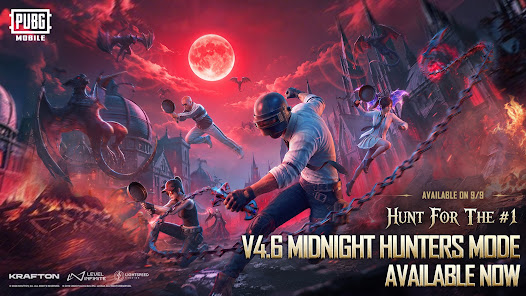

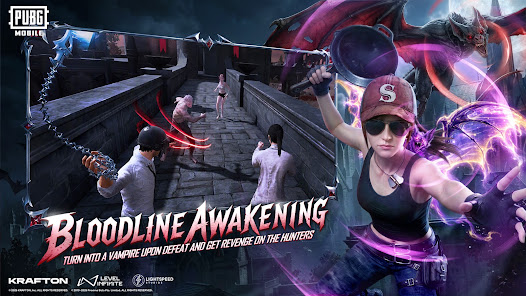

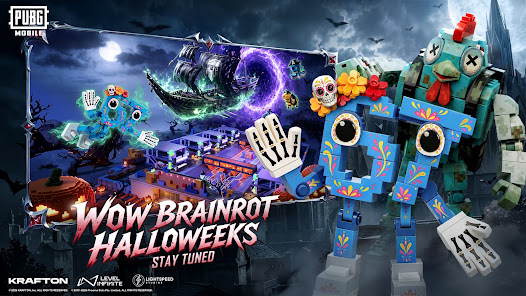
Images supplied with this game listing.
PUBG MOBILE is Level Infinite's Android battle royale shooter built around a simple objective that produces complicated choices: survive longer than everyone else. Its official Google Play listing describes 100-player Classic battles, four-versus-four Arena matches, Payload, Infection Mode, training, customizable controls, and voice chat. It is free to download according to the current store listing. A player expecting only one battle royale queue should know that the app includes several modes with very different session rhythms.
Classic Mode is about decisions before gunfire
In a large battle royale match, the early question is where to land and what equipment you can find before encountering another squad. Later, the playable area narrows and forces movement. That means a strong position can be more valuable than an extra fight. A new player can learn more by surviving long enough to see several circles than by repeatedly charging the first sound of gunfire. Looting also has a limit: once you have a workable loadout, staying in one exposed place to search for a marginal improvement may be riskier than moving.
The official listing highlights a wide variety of firearms and maps. A weapon that feels comfortable at one distance may be poor at another, so examine your available cover and the terrain ahead before committing. Avoid interpreting this as a fixed weapon ranking: balance, maps, and available items can change with updates. The durable skill is to know whether your current equipment supports the fight you are about to take.
Smaller modes offer a different way to learn
Arena's four-versus-four format gets players into repeated engagements more quickly than a large Classic match. That can help someone practice aiming, movement, and communication without the long preparation of a full battle royale. Payload and Infection Mode are also named on the Play page, but their live rules should be read in the app; the fact that they appear in a store description does not mean they share Classic's win condition or are always in rotation. Choose a mode based on what you want to practice instead of treating every queue as a substitute for the others.
Training mode is another sensible first stop. The listing explicitly calls it out, and it gives you a place to adjust control layout before a real match matters. Try changing one setting at a time, then test whether you can move, aim, and use essential actions comfortably. Copying a popular player's layout may not help if your screen size, grip, or familiarity differs.
Coordination is a resource in squad play
Voice chat lets friends communicate, but good calls do not require constant talking. Useful information is specific: where an opponent was seen, which direction the team plans to move, and whether a teammate needs support. A squad that splits up to chase separate targets loses the advantage of shared information. Conversely, staying together without watching different angles can make the whole group vulnerable. These are general teamwork implications of the listed squad modes, not a promise of a particular ranking outcome.
If you prefer a short match with a fixed arena objective rather than a long survival arc, compare Brawl Stars. If you want another version of PUBG's battle royale on PC, the site's PUBG: BATTLEGROUNDS Steam page provides a platform-specific overview. Do not assume the Android and PC products have identical controls, content, or accounts simply because they share a name.
A practical first-week plan
Start by finding a comfortable control setup in training. In Classic, make a few deliberate landing choices and note how often the position leads to an early fight or a safe route. Practice moving toward the next zone with enough time to use cover. In Arena, focus on one mechanical habit such as keeping aim steady while moving. Review losses without reducing every one to an equipment problem: sometimes the important mistake happened before the shooting started.
The Play page mentions frequent additions of items, maps, and modes. That ongoing change is attractive if you want new challenges, but it also means older guides can describe a different live build. Check in-game announcements when a mode or control option seems to have changed.
Before downloading
The current Google Play listing shows PUBG MOBILE as free to install. Check the live page for any in-app purchase disclosures, compatibility, download size, and regional rules; this article does not invent an exact storage requirement or claim every offer is free. Online matches and voice features depend on a working connection. We have not measured frame rate, latency, or battery drain on your phone. A large multiplayer shooter can be a poor fit if your device or data plan cannot comfortably support it.
PUBG MOBILE suits players who enjoy positioning, looting, gunplay, and adapting when a safe route disappears. Its other modes offer shorter or more unusual fights, but Classic's last-player-standing pressure remains the central reason to try it. This overview is based on the official store listing and practical analysis of the published rules, not on a claimed personal play test.
Official source: PUBG MOBILE on Google Play.