Adobe Acrobat Reader
App preview
Images supplied with this app listing.
Adobe Acrobat Reader for Android is more than a viewer for opening a PDF someone sent you. The current Play listing covers reading, search, annotation, form filling, signing, sharing, and connections to cloud storage; it also advertises editing, conversion, organization, and AI features that require a paid plan or trial. That distinction matters: a person who only needs to review and sign a document should not assume they need the same subscription as someone replacing text or combining files every day.
Reading a PDF on a small screen
A fixed-layout PDF can be awkward on a phone. Acrobat's Liquid mode is described as adjusting the reading experience with search, navigation, and text size or spacing options. Use it for long reading when the document supports the conversion, but compare the result with the original page view before checking a table, form, or diagram whose position matters. Reflowed text is easier to read; the original layout is the reference when you need to verify where an element appears.
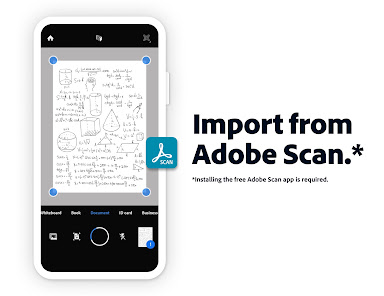
Search and bookmarks can save time in a long manual. Start by searching a distinctive phrase or section heading, then star frequently used files so they are easier to reopen. If the PDF is a scan of paper, text search may depend on optical character recognition. Adobe lists OCR among its capabilities, but access and results can depend on the document and plan. Do not promise yourself that every photographed page will become perfectly searchable.
Annotate and sign without changing the source text
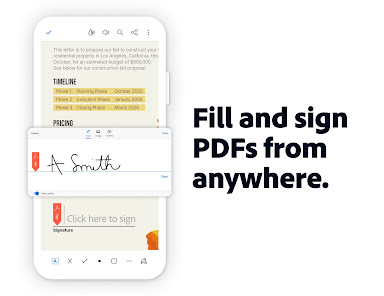
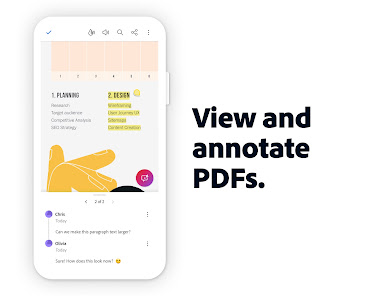
Highlights, sticky notes, and comments are useful when reviewing a draft with someone else. They record feedback without silently changing the underlying wording. For a contract or application form, Adobe lists Fill & Sign as a free-to-use feature: enter the requested fields, add the signature, and inspect the completed pages before sending them. A visual signature tool is not a substitute for confirming that the recipient accepts that signing method or that the document is legally complete.
Keep a copy of the unsigned original when the document is important. After signing, reopen the exported file and check that dates, checkboxes, and initials stayed where intended. A phone screen can hide a field near the edge of a page. Share only the final copy with the intended recipient, especially when the PDF contains personal or financial information. This is a general document-handling precaution, not a claim about a specific Acrobat security test.
Where paid editing begins
The Play listing places direct text and image edits, page rearrangement, splitting or combining files, compression, password protection, conversion, and export among paid features. It also advertises a trial. Check the current purchase screen and trial conditions before starting a workflow that relies on one of these tools. A basic viewer can open a finished PDF for free, but rewriting a paragraph inside it is a different task from adding a comment to the margin.
Adobe's description includes converting files into PDFs and exporting PDFs to Word, Excel, PowerPoint, or image formats. Conversion is convenient when someone needs editable content, yet the result can alter fonts, line breaks, tables, or page boundaries. For an important report, review the converted file section by section. If your original lives in Google Drive, Acrobat can connect to that storage; the Play page says some edits, compression, and export actions on Drive files require a subscription.
AI Assistant and PDF Spaces need separate evaluation
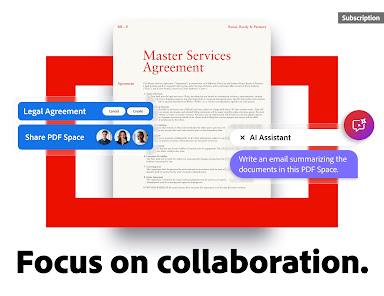
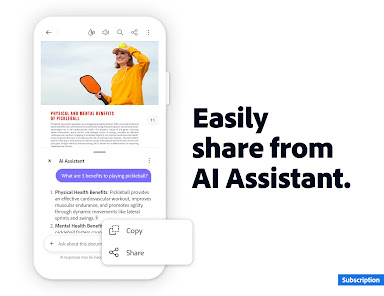
Adobe advertises AI Assistant questions, document summaries, cited responses, and PDF Spaces for working across files. Those are not the core reader functions, and the store explicitly identifies AI Assistant as paid, with time-limited free availability described in its current listing. A generated answer can help locate a passage, but read the cited source page before using the answer for legal, medical, academic, or financial decisions. A summary may omit a qualification that changes the meaning.
The Play page also describes audio reading, including standard voices and higher-quality paid options. Listening is useful for a first pass through a long file or for accessibility, but tables, mathematical notation, and page references still deserve visual review. If the document contains private client data, decide whether its sharing and cloud settings are acceptable before enabling collaborative or AI-assisted workflows.
A practical choice for different readers
For a one-off form, begin with the free viewing and Fill & Sign path. For a team review, use comments and agreed file names so feedback can be reconciled. For regular edits to source wording or repeated conversions, compare the subscription terms with editing the original document in its native app. Acrobat is well suited to the final PDF stage; it cannot repair a poorly written source document by itself.
Check the official store for current Android compatibility, trial conditions, paid-feature boundaries, and privacy terms. This overview is based on Adobe's published feature list; it is not a hands-on reliability or OCR accuracy benchmark. The most useful habit is to reopen the file after each conversion, signature, or export and verify the specific change you intended.
Official source: Adobe Acrobat Reader on Google Play.
App information
- Title
- Adobe Acrobat Reader
- Category
- Productivity
- Platform
- Android
- Download
- Open link