
CapCut
App preview


Images supplied with this app listing.
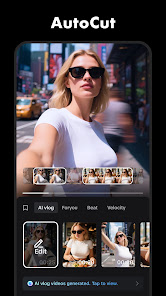
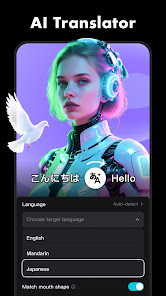
CapCut is a mobile video editor that combines familiar trimming and timeline tools with more advanced effects. Its official Google Play description lists splitting and merging clips, speed curves, transitions, keyframes, chroma key, stabilization, automatic captions, text-to-speech, motion tracking, and background removal. That range makes it useful for a quick social clip or a more carefully assembled short video. The Android app is free to download, but individual assets and advanced options should be checked in the live app before you assume a particular export is free.
Start with the edit, not the effect library
A good first pass is to place the clips in order and remove what does not serve the story. CapCut's listing explicitly names trim, split, and merge tools, so you do not need a complicated template to make a useful sequence. Watch the rough cut once without transitions. If the order is confusing, adding visual effects will not solve the underlying problem. Only after the story works should you change pace with speed controls, freeze a moment, or add a transition between scenes.
The multi-track timeline matters when text, music, and images must appear at specific moments. The store says subtitles can be moved along the video timeline, and it advertises local font import as well as ready-made text styles. For a spoken clip, make sure the captions match the audio and stay on screen long enough to read. Automatic speech recognition is a starting point, not a guarantee of correct names, punctuation, or technical terms. Review each caption before exporting.
Which advanced tool solves which problem?
Keyframes let a visual property change over time; they are useful when a crop or movement should follow the action rather than remain fixed. A speed curve changes the pace inside a clip, whereas a simple speed setting changes it more uniformly. Chroma key removes a chosen color from a background; background removal aims to separate the subject without requiring that uniform color. Stabilization addresses shaky footage, but it cannot create detail that was never captured. The official description names these tools but does not promise identical results for every kind of source video.
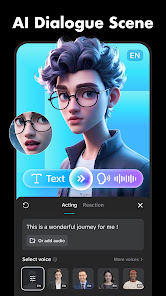
Motion tracking and text-to-speech are additional options when a video needs a label attached to movement or narration without a recorded voice. Use them to solve a clear communication need. A clip full of unrelated effects can be harder to understand than a simple cut, particularly on a small phone screen. This is an editorial workflow suggestion, not a claim that one CapCut feature is technically superior to another.
A reliable social-video workflow
Choose the intended destination before editing. A horizontal tutorial and a vertical short video need different framing, even when they use the same footage. Import clips, make the rough cut, adjust audio, add captions or labels, and only then review effects. Play the whole piece from beginning to end before export, checking that a transition does not hide an important word or that an automated caption does not run into a screen edge. The Play listing mentions sharing to TikTok, YouTube, Instagram, WhatsApp, and Facebook; those services can change their format recommendations, so verify current platform requirements separately.
CapCut's filters and trending effects may be refreshed frequently. If you depend on a specific effect for a reusable brand template, confirm its availability and any usage terms in the current app. Save a clean version of the source footage and project material where possible; an effect-heavy edit is easier to revise when the unaltered clips are still available.
Compare it with design-first tools
Canva can also produce social videos, but its official pitch centers on templates, graphics, presentations, and collaborative design as well as editing. CapCut is the more obvious place to start when the timeline, clip timing, captions, and motion effects are the main work. If your project is a static flyer or a branded slide deck, Canva may be a better fit. Once a video is finished, YouTube and Instagram are distribution destinations, not substitutes for checking the edit itself.
Before downloading or paying
The current Google Play page supplies compatibility, permissions, and purchase disclosures. Do not assume every AI tool, template, music track, or export choice is included in the free tier simply because installation costs nothing. Check the app's live terms for the feature you need, especially if the project is commercial or time-sensitive. We have not measured export speed, device heat, or quality on a particular Android phone. CapCut is most useful when you are willing to review an edit carefully instead of relying on an automatic template to make every decision.
For work shared with another person, confirm the final file rather than only the project preview: listen to the exported audio, read the rendered captions, and check the first and last seconds. A project can look correct on the editing timeline yet still need a final audience-facing review after export. This simple check is especially valuable when a deadline makes another upload difficult.
Official source: CapCut on Google Play.