Google Meet
App preview
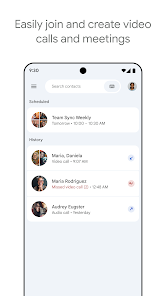



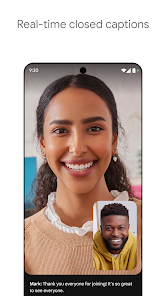
Images supplied with this app listing.
Google Meet is Google's Android app for video calls and meetings. Its Google Play listing highlights automatic light adjustment, noise cancellation, live captions, reactions, backgrounds and filters. It also advertises AI note-taking and speech-to-speech translation as premium features with availability limits. The basic decision is whether you need a straightforward call with family or a work meeting with managed features. A free app install does not mean every premium recording or AI function is included for every account, language and device.
Plan the call around what participants can actually use
The published feature set aims to make people easier to see and hear, but video quality still depends on cameras, microphones, lighting and a stable connection. Before an important call, open the meeting preview, check the selected audio and camera devices, and confirm that the person joining knows the correct link or invitation. If a participant cannot hear you, verify mute state and the chosen microphone before assuming the meeting service itself is down. A background effect can be pleasant, but clear audio and a visible face usually matter more.
Meet supports reactions, effects and filters according to Google Play. These are optional ways to express yourself, not a requirement for productive conversation. A work presenter may prefer a neutral background and fewer visual effects; a family call may welcome them. Device specifications can affect which effects appear, so do not promise a particular filter to every Android user. Check the current in-app controls on the phone used for the call.
Captions and language limits
Google advertises real-time captions but links to a help page because captions are not available in every language. If captions are essential for a participant, verify the language and feature on the intended account before the meeting starts. Do not assume that the presence of a caption button means all speech will be transcribed accurately, particularly with several speakers or background noise. A participant who needs a formal record should not treat live captions as a guaranteed verbatim transcript.
Speech-to-speech translation has its own language limits and is listed among premium features in the Play description. It should be checked separately from captions: seeing one feature does not mean the other is included or supported for a given language pair. For an international call, agree on a fallback such as slower speaking or a written agenda if translation is unavailable. These are planning suggestions based on Google's published limitations, not a claim that we tested a particular accent or language pair.
Noise cancellation and lighting are aids, not guarantees
The official store text presents automatic light adjustment and noise cancellation as ways to improve calls. It also cautions that noise cancellation and several advanced features may require a premium plan and that availability can vary by device. Before joining from a noisy location, test the microphone preview and use headphones if needed. If someone says your voice sounds muffled, review the current audio setting rather than assuming an AI filter is always beneficial. A bright environment and a quiet space still help even when software correction is available.
For another communication workflow, Zoom Workplace provides its own meeting platform. Microsoft Teams combines meetings with workplace collaboration. Google Meet is the obvious choice when the invitation, account and other Google Workspace tools already center on Meet; the best app for one meeting is often the one the organizer actually uses. These services are not automatically interchangeable at the same meeting link.
Premium AI, recording and plan checks
Google's Play description explicitly marks AI-powered note-taking, speech translation, meeting recording and noise cancellation as features that may be premium. It points readers to Google Workspace pricing for details. Plan names and eligibility can change, so review the exact account and subscription before promising a team that a meeting will be recorded or summarized. A note-taking tool can help participants focus, but a generated summary should be checked against important decisions before distributing it.
Recording and notes may involve other people's voices or information. Even when a plan supports them, follow the meeting organizer's rules and inform participants as appropriate. This page does not claim a particular legal rule for every jurisdiction or that Google automatically obtains consent on your behalf. If a call handles confidential company information, check the organization's own account and retention policy before relying on a personal account's settings.
A simple preparation checklist
Confirm the meeting link and time zone, join a few minutes early, inspect camera and microphone, and choose a quiet location. Verify captions in the actual language needed. If presenting, check that the phone can show the material legibly to others and that the connection is adequate. If you expect recording, translation or AI notes, verify the eligible account and plan before the call rather than discovering a missing control when the meeting starts. These steps answer the practical constraints Google names, without claiming a measured call-quality result.
Questions callers ask
Are live captions available in every language?
No. Google Play explicitly warns that caption support varies by language and links to its current help page. Test the language on the account and device you will use. Captions can improve access to a conversation, but they should not be treated as a perfect record of names, numbers or decisions.
Is AI note-taking included with the free app?
Not necessarily. Google's listing identifies AI note-taking among premium features and directs readers to Workspace pricing. Availability can also depend on the account and device. Check the plan tied to the meeting organizer and verify the control before promising a summary to participants.
Will every Android phone have the same effects?
No such promise appears in the official description. Google says some feature availability varies with device specifications. The same applies to premium eligibility and language-dependent tools. Open the in-app preview on the actual device to see its current options rather than relying on someone else's screenshot.
Editorial verdict
Google Meet is most useful when the call link and participants are already in Google's meeting environment. Its captions and visual aids can improve access, but the feature matrix is conditional: language, device and subscription all matter. Prepare around reliable audio and a verified link first, then treat AI and presentation effects as optional extras. This is an evaluation of Google's published features and limits, not a hands-on network test or a privacy audit.
Official sources: Google Meet on Google Play and Google Meet product page. Store details checked October 27, 2026.
App information
- Title
- Google Meet
- Category
- Communication
- Platform
- Android
- Download
- Open link