
Microsoft OneDrive
App preview

Images supplied with this app listing.
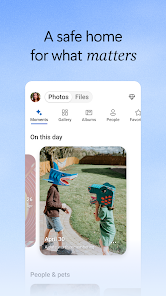
Microsoft OneDrive is an Android app for storing, backing up, finding and sharing files across devices. Its Google Play listing offers 5 GB of free storage, with larger allocations and advanced features through eligible Microsoft 365 plans. It can automatically upload camera photos, keep selected files available offline and share links to documents. The key distinction is that cloud sync is not the same thing as an independent backup strategy: deletion or a mistaken change may propagate. A person with a modest photo library and Microsoft documents may find the free tier useful; someone storing a large media archive should calculate space and subscription cost before relying on it.
Start with what the free 5 GB can actually hold
The official Android description states 5 GB of free cloud storage. That is a clear starting allocation, not an estimate of how many photos you can fit. High-resolution video can consume it quickly. Before enabling camera upload for every folder, review how much space your existing photos and videos use and whether the account already contains documents. The app's storage view will be more useful than a generic “unlimited backup” claim. Microsoft 365 Personal and Family plans increase capacity, but exact pricing and entitlement vary by region and plan.
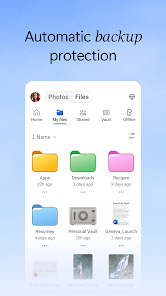
Camera Upload can automatically back up new photos and videos. Once enabled, inspect the first uploaded items and confirm you are signed into the intended account. If several family members use different Microsoft accounts, mixing them by accident can make recovery confusing. The Play page describes encrypted storage, but we cannot guarantee that cloud storage alone protects against every account, sharing or device mistake. Keep important originals or another backup until you have verified the upload and recovery path.
Offline files versus cloud-only files
OneDrive's Play listing says selected files can be made available offline. That does not mean the entire cloud library is automatically copied to the phone. Mark the documents you need before travel, wait for them to download and open one without relying on network access as a check. Offline access is valuable for reading or working when coverage is poor, but sharing a new link or syncing changes still depends on connectivity. Check the app's current status before assuming a recent edit has reached another device.
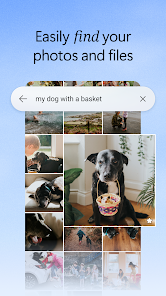
For files that remain cloud-only, search by name or content helps find documents; Microsoft also advertises searching photos by what's in the image. Search results may depend on indexing and account context. If a file seems missing, first verify the signed-in account and folder location rather than immediately recreating it. A duplicate created in the wrong account can complicate later sharing.
Sharing and collaboration without losing control
The app supports sharing files, photos, videos and albums, with notifications when a shared document changes. Microsoft says password-protected or expiring links are premium features, so a free user should not assume those controls will appear. Before sending any link, examine who can open it and whether a recipient can edit or only view. A link that works for you while signed in may not work for a friend; test the intended permission, not merely the presence of a URL.
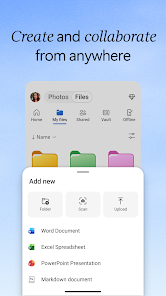
Documents stored in OneDrive can be edited with Microsoft Word, Excel, PowerPoint and OneNote, and the official description describes real-time collaboration. The app also includes a scanner for capturing, marking up and sending documents. For an email-focused workflow, Microsoft Outlook can attach or link OneDrive files from a message. The two apps complement each other, but neither grants permission to a file automatically just because the other app can display it.
Security and recovery features with conditions
Microsoft's Play listing names encryption at rest and in transit, Personal Vault with identity verification, and version history. It marks ransomware detection, recovery and some premium sharing capabilities as subscription-linked. A Vault is useful for an extra access step, but you must still maintain the account's recovery information and be careful about links you share outside it. Version history may help after an accidental edit; it is not a promise that every file can always be restored indefinitely.
The listing describes Copilot assistance for document summaries and file organization, also marked as requiring a qualifying Microsoft 365 subscription for full premium access. Treat AI-generated summaries as a navigation aid, not as a substitute for reading a contract, invoice or other consequential source file. Verify the exact plan and availability on your account before subscribing for one feature. Work or school sign-in may require an eligible OneDrive, SharePoint Online or Microsoft 365 Business subscription and can be constrained by an organization's policies.
A safer first setup
Sign in to the account you intend to use, confirm its available capacity, and upload one non-sensitive test document. Find it from another device or the web before turning on bulk camera upload. If enabling photos, inspect the first batch and watch the storage meter. Mark one file for offline use and confirm that it opens while disconnected. Share a low-stakes test item with the permission you expect before sharing a private folder. These are practical checks based on the app's published features, not a claim that we tested its synchronization reliability under every network condition.
Questions before relying on OneDrive
How much storage is free?
The Google Play description states 5 GB for a free account. Additional storage is available through Microsoft 365 subscriptions, and the exact cost and entitlement should be checked in your region. Calculate your existing media size before enabling automatic video uploads; a free allowance can be consumed faster than expected.
Can I open all my files offline?
The official listing says selected files can be available offline. Choose them in advance and verify the download. A file left only in the cloud may not open without a connection, and changes made offline may need to synchronize when the device reconnects.
Are expiring links and ransomware recovery free?
Microsoft marks premium sharing links and ransomware detection or recovery with a subscription note. Do not buy or promise those functions based solely on the free app install. Review your current plan and the exact feature shown in the Android app before relying on it for a sensitive file.
Editorial verdict
OneDrive is most useful when photos, documents and Microsoft Office collaboration already cross several devices. The free tier is clear but limited, while security and sharing extras depend on plans and careful configuration. Its strongest habit is to verify sync and permissions with a small test before trusting it with a whole library. This is an assessment of published capabilities, not a security audit, restore test or personal performance score.
Official source: Microsoft OneDrive on Google Play. Store details checked October 27, 2026.
App information
- Title
- Microsoft OneDrive
- Category
- Productivity
- Platform
- Android
- Download
- Open link