Call of Duty®: Mobile
Game preview
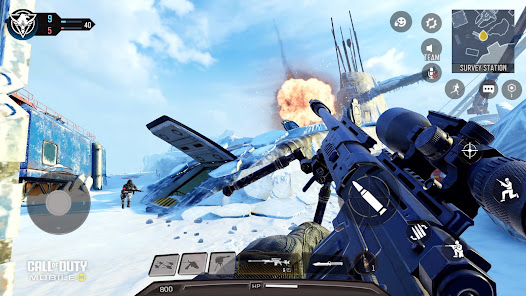
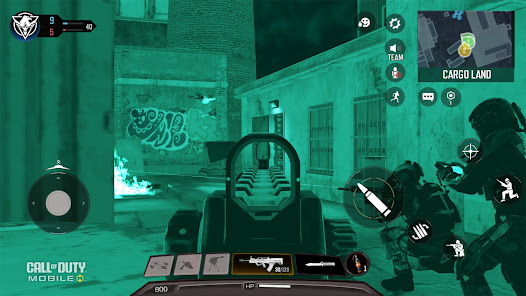
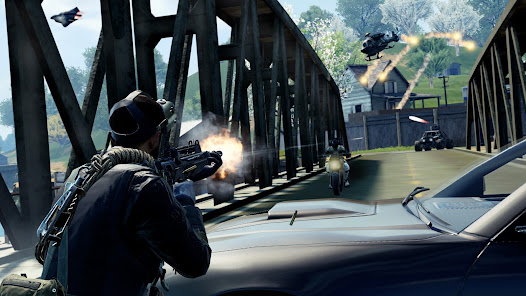
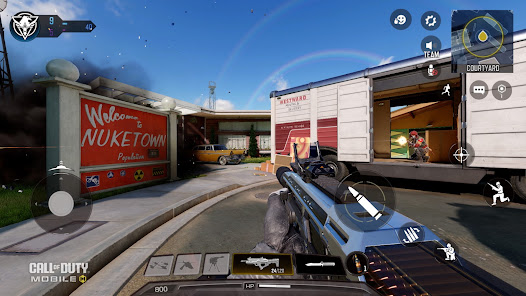
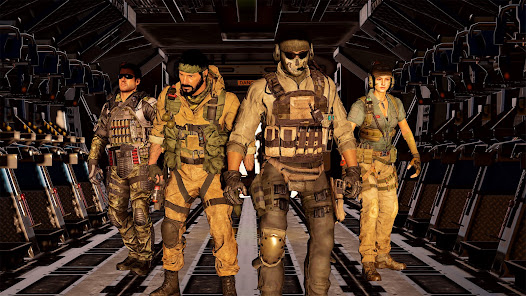
Images supplied with this game listing.
Call of Duty®: Mobile is Activision's free-to-install Android shooter combining short multiplayer matches, ranked play and a larger battle royale mode. Google Play presents familiar maps such as Nuketown, Shipment and Rust, along with loadout choices and seasonal events. It also explicitly requires an internet connection. That makes it a good candidate for someone who wants online competitive shooting on a phone, but a poor fit for someone looking for a fully offline single-player campaign. The store advertises optional social features and in-app purchases; the free download should not be confused with a promise that every cosmetic or pass reward is free.
Choose the mode before building a loadout
The Play description names Team Deathmatch, Domination, Search & Destroy, Hardpoint and Frontline among multiplayer modes. Their goals are different. A loadout that feels comfortable in a direct elimination match may be less useful when defending a location or moving between objectives. Before changing every weapon attachment, learn what earns the win in the playlist you selected. In objective modes, helping your team hold or reach the target can matter more than chasing an isolated opponent across the map.
Ranked Multiplayer adds seasonal progression and rewards. Activision also advertises a Legendary rank for high-level competition. A new player should not treat a trailer's rank or weapon skin as a starting entitlement. Learn map routes and objective rules in ordinary matches, then enter Ranked with a few familiar loadouts. Rotating limited-time playlists can be fun, but they should not be mistaken for permanent modes you can always queue.
Battle royale asks for a different rhythm
The official listing describes 100-player survival matches with squads, vehicles and tactical gadgets. Unlike a compact 5v5 map, a large match includes dropping, collecting equipment, moving into safe areas and deciding when to fight. The final circle rewards survival and positioning as well as aim. A useful first approach is to stay close enough to the squad to share information, learn how the map closes and avoid assuming that every visible opponent must be challenged immediately.
Battle royale and standard multiplayer are not interchangeable simply because both use the same account. Match duration, equipment acquisition and the value of movement differ. If your available time is short, choose a smaller multiplayer mode. If you enjoy a longer run with route decisions and squad coordination, battle royale is the advertised alternative. The Play description does not establish that every named vehicle, gadget or map is present in every season or playlist, so rely on the current mode screen for exact availability.
Weapons, attachments and mobile controls
Activision lists assault rifles, submachine guns, snipers and light machine guns, with attachments, perks, scorestreaks, operators and skins. Build for the ranges and objective you actually face. A short-range setup can be effective in a tight map but may leave you exposed across an open lane; a long-range choice needs a plan for close approaches. Change one component at a time and test whether it solves a repeated problem. A “best gun” copied from an old guide may reflect a previous balance patch or another mode.
The Android page advertises adjustable settings, multiple HUD layouts and optional HD resources or map downloads. Before judging the game, arrange controls so movement, aiming and actions can be reached comfortably on your screen. Extra visual resources may increase storage use; the Play page does not give a single permanent total download size because optional content and updates change it. If space is limited, inspect the in-app download manager instead of assuming the initial app size is the final footprint.
Free access, purchases and connectivity
Google Play identifies Call of Duty®: Mobile as free to install. The store description discusses seasonal battle passes, themed rewards, skins and challenges, but does not promise that every reward is available without payment. Read a particular pass or bundle's current price and terms in your region before buying. The official page also states that an internet connection is required. Even if you plan to practice alone, do not buy a data plan or install the app expecting a complete offline campaign on the basis of its name.
Social features can connect you with friends, while push notifications for events and updates are optional according to Activision. Decide whether those alerts are useful to you and adjust them in normal app settings. That choice is separate from the online requirement. The Google Play listing's compatibility notice on your exact device is more reliable than an unsourced claim that any Android phone will run every visual setting smoothly; we have not benchmarked a device.
How it compares with other shooters here
PUBG MOBILE is also an Android battle royale, but Call of Duty®: Mobile presents traditional smaller-map multiplayer alongside its survival mode in one listing. On PC, Apex Legends is another team battle royale with a different movement and hero-ability emphasis. These comparisons are about advertised mode selection, not cross-platform account compatibility. If you chiefly want very short mobile team rounds with a different perspective, Brawl Stars is another option, not a substitute for first-person aiming.
A useful first-session plan
Start by setting a comfortable HUD and downloading only the optional resources you intend to use. Play a standard multiplayer mode to learn movement and aiming on your phone. Then pick one objective playlist and practice its win condition instead of switching modes after every loss. Try battle royale separately so its longer survival loop does not distort your expectations of a 5v5 match. Review repeated failures before altering attachments: were you caught at the wrong range, away from an objective or separated from your squad? This advice follows the modes Activision publishes, not a claim of personal ranked experience.
Questions before installing
Does it work without internet?
No. Activision's Google Play description explicitly says an internet connection is required. The game is built around online multiplayer and battle royale. Downloaded visual resources do not turn those modes into offline play. Check your connection and data allowance if you plan to play away from Wi-Fi.
Are multiplayer and battle royale both included?
Yes, both are presented as parts of the free-to-install app. The exact playlists, maps and seasonal events can rotate. The store also mentions optional purchases and battle-pass content, so do not infer that every cosmetic or timed reward is free simply because the core modes are available to download.
Can I control how much content downloads?
The official listing describes optional HD resources, maps and content downloads. That gives players some control, but it does not specify a permanent total size. Updates may change what must be downloaded. Check available storage and the game's current resource manager before selecting every extra visual asset.
Editorial verdict
The main reason to consider Call of Duty®: Mobile is the choice between compact objective modes and a larger squad survival format, backed by extensive loadout and HUD controls. The price of that breadth is an online requirement, changing seasonal content and optional paid offers. It is a fit for players who want to learn several multiplayer rhythms, not for someone seeking a self-contained offline campaign. This is an assessment of the official Android listing, not a tested performance claim or an invented score.
Official source: Call of Duty®: Mobile on Google Play. Store details checked October 27, 2026.