Draw Music Maker: Doodle Pad
App preview
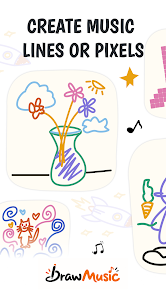
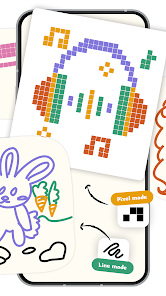
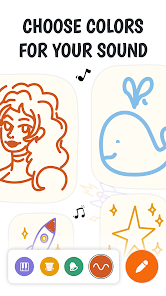
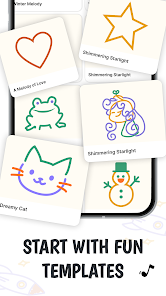
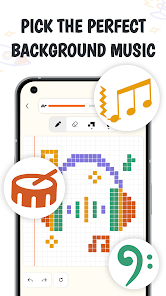
Images supplied with this app listing.
Draw Music Maker: Doodle Pad turns finger-drawn shapes into short musical phrases. BigSoft inc. describes a 32-by-20 canvas where moving right places notes later in time and moving upward raises their pitch. Strokes snap to grid cells and to a selected scale, so a rough line can become a repeatable pattern without reading notation. This is a visual melody sketchpad, not a full recording studio. The Android download is free, but Google Play labels it as containing ads and in-app purchases; that distinction matters before you choose it for a classroom, a child, or an uninterrupted creative session.
What a drawing actually controls
The publisher maps two drawing directions to two musical dimensions: horizontal position is timing, and vertical position is pitch. Think of the canvas as a simplified piano roll that you can draw on rather than place notes into one at a time. A rising stroke produces a rising sequence; a repeated horizontal pattern holds closer to one pitch while time advances. The official description does not specify note duration, polyphony limits, or how every gesture is interpreted when it crosses itself. Start with one short line, play it back, and change only one part so you can hear what that movement did.
Use scales and tempo to change the same shape
BigSoft lists Pentatonic, Major, and Minor scales, twelve root-note choices, and a tempo range from 40 to 240 beats per minute. Notes are matched to the chosen scale. That makes it easier to create a consonant phrase, but it also means a drawn mark may not correspond to every chromatic note a trained musician expects. To hear the difference clearly, keep the drawing fixed, switch from Major to Minor, and replay. Then keep the scale fixed while changing the root note. These are separate controls: the scale changes the available pitch relationships, while the root moves their center.
Templates, color, and layered instruments
Blank canvases can be difficult to start. The app advertises drawing templates including animals, people, birds, and landscapes. A template is not a prewritten song in the conventional sense: it provides a shape that the sound engine reads. Play one before editing, then change a portion and listen again. This shows whether the result you like comes from its contour, the selected instrument, or the current tempo.
The publisher names Soft Key, Marimba, Warm Synth, and Bells among its instruments. Each instrument has an ink color, and several colors can be used in the same drawing. That lets you assign a main line to one sound, a lower support shape to another, and a few bright accents to a third. The description says newer strokes draw over older ones, so layer order can matter when editing. It does not publish a complete instrument list or a free-versus-paid breakdown for each sound. Check the instrument picker in the installed app before assuming that a particular timbre is included without payment.
Exporting a melody for a different job
BigSoft advertises WAV and MIDI export. A WAV is rendered audio: it can be played in a media player or placed under a video, but changing an individual note later is not as straightforward. MIDI is note and timing information that another compatible music program can edit and assign to different instruments. If you want to share what someone should hear immediately, try WAV. If you intend to refine the melody in a fuller production tool, keep the MIDI as well. The listing does not specify export resolution, file-size limits, MIDI channel mapping, or whether every instrument is reproduced identically in another program.
The developer says the drawing workflow works offline. That is a publisher claim about making music without a connection, not a promise that ads, purchases, updates, or every export-sharing path behave the same way offline. For travel use, open the app before leaving a connection, make a short test sketch, and confirm that a local file is actually available. A saved picture of the canvas would not replace a verified WAV or MIDI export if you need the sound itself.
Ads and purchases are part of the decision
The US Google Play page showed a free Install button and the labels “Contains ads” and “In-app purchases” on October 22, 2026. The store description explains the composition controls but does not give a reliable price table or promise that all instruments, colors, and exports are free. Several visible October reviews object to the frequency of ads and restricted choices; in a developer reply on October 19, BigSoft acknowledged the ad complaint and said it would try to reduce interference. Reviews describe those users' experiences, not a measured ad count for every device or the current build. If interruptions would make the app unsuitable for a lesson or performance preparation, check the latest reviews and in-app purchase screen before committing your workflow to it.
Draw Music Maker versus other music apps
Google Flow Music starts from prompts, lyrics, uploaded tracks, and model-generated results. Draw Music Maker starts from your finger movement and a defined grid. The difference is control: here you choose a shape, tempo, scale, and instrument colors, while a generative tool interprets a brief and gives you a result to revise. Neither is a substitute for the other if you need the specific workflow it lacks. A user who wants to understand how a contour becomes a melody may prefer this drawing method; someone who wants a full vocal song from a textual idea may want to investigate Flow Music's credits and rights first.
Spotify is primarily for listening to an existing catalog and podcasts, not drawing and exporting a new tune. This distinction sounds obvious but prevents a mismatch in search intent: Draw Music Maker is a lightweight creation tool. Its value depends on whether the act of manipulating pitch and timing visually is useful to you, not on the size of a streaming library.
Questions to settle before installing
Do I need to know music theory?
No notation reading is required for the advertised drawing flow. You draw, press Play, and adjust the result. The scale choices constrain pitches in a way that can make a first attempt easier to listen to. Knowing what Major, Minor, a root note, and BPM mean will help you use the controls intentionally, but the publisher presents templates for people who would rather begin by experimenting.
Can I edit the notes after drawing?
The listing describes adding strokes, drawing over existing ones, erasing, undoing stroke by stroke, and displaying grid cells. It also offers MIDI export for continued work in compatible software. It does not promise the detailed per-note editing, velocity control, or multitrack automation of a professional DAW. Test the editing controls with a small pattern before building a larger composition around them.
Is every instrument free?
The public description names several instruments, but Google Play also marks the app as containing in-app purchases and does not publish a complete free-feature table in the visible listing. We cannot verify that every color or instrument is included at no charge. Check the current picker and purchase prompts inside the app before planning an arrangement that depends on a specific sound.
Can I use a finished sketch in a video?
The developer advertises WAV export and explicitly suggests using the audio as background music for videos. Confirm that the exported file plays as expected and check the app's current terms if the video is commercial. MIDI export is better for further note editing, while WAV is the directly playable audio file. The store does not specify licensing conditions for every included instrument sample.
Will ads interrupt composing?
Google Play explicitly says the app contains ads, and some recent reviewers report intrusive interruptions. BigSoft replied to one complaint that it would try to improve ad placement. That is enough to warn a user who needs a distraction-free session, but not enough to promise a particular ad frequency today. Try a short composition and review the available paid options before relying on it for sustained work.
Who gets the most from a musical doodle?
The app is best understood as an approachable way to hear how a drawn contour maps to pitch and time. Its scale snapping, instrument colors, templates, loop, and WAV/MIDI exports give a curious beginner or teacher several concrete experiments. Its likely limits are equally important: the grid is compact, the public page does not define every edit or payment boundary, and ads may disrupt the simple workflow. This is an editorial assessment of BigSoft's published features and store disclosures, not a hands-on test of sound quality or ad frequency.
Official source: Draw Music Maker: Doodle Pad on Google Play. Listing and visible developer response were checked October 22, 2026.