Adobe Premiere: Video Editor
App preview


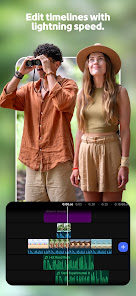
Images supplied with this app listing.
Adobe Premiere: Video Editor is Adobe's Android editing app for creators who want more control than a quick trim-and-post tool. Its Google Play listing describes a multitrack timeline, frame-accurate trimming, speed changes, audio repair, color presets, transitions, and 4K export. The practical distinction is that you can build a video from several layers and revisit individual cuts instead of committing to a single template. It is not suitable for every phone: Adobe says the app requires at least 5 GB of RAM to download. The core editor is free, while Firefly generative-AI credits are the stated paid exception.
Build the edit on a multitrack timeline
The timeline is where this app differs most clearly from a simple clip combiner. Adobe says tracks are unlimited, so you can place video, audio, voiceover, and overlays on separate layers. That does not mean every Android device will handle an arbitrarily complex project equally well; the store does not promise identical performance across phones. It does mean the interface is designed for changes that are difficult when everything is flattened into one strip.
Start with the story rather than an effect. Import the clips you intend to use, arrange their order, and cut away unwanted material with the trim and split controls. Only then add a transition where the change between shots needs help. If you are editing a short vertical video, use the freeze, slow-motion, or speed-up controls to emphasize one moment rather than applying the same pace change to the whole clip. Adobe's listing also mentions remixable YouTube Shorts templates, which offer a faster route when a fully manual edit is unnecessary.
Voice, music, and AI tools serve different jobs
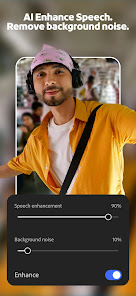
Premiere can record voiceovers, extract audio from a clip, add music and sound effects, and use AI Enhance Speech. Those are distinct steps. A voiceover supplies narration; extracted audio lets you reuse or adjust sound already attached to footage; Enhance Speech is intended to improve spoken audio. For a tutorial or product demonstration, check intelligibility before adding a music bed. If words are the main point, keeping the backing track subordinate to the voice is more useful than chasing a louder export.
The store also advertises Adobe Firefly text-to-image generation inside the editing workflow. This is not a promise of unlimited free image generation: Adobe says you pay when you need Firefly generative-AI credits. Before planning an entire video around generated assets, look at the current credit balance and terms in your Adobe account. The listing states that Adobe does not train on user content; that is the publisher's claim, not an independent privacy audit by YouxiSky.
Color and export decisions to make before sharing
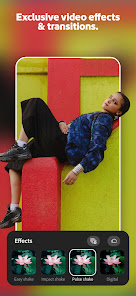
Adobe mentions Lightroom color presets as a starting point, followed by manual fine-tuning. A preset can make clips feel more consistent, but footage shot in different light may still need individual adjustment. Check the first and last clips together before exporting; a polished opening followed by a visibly different color temperature is distracting. The app also supports flipping clips and applying transitions, but these controls are most useful when they solve a visible mismatch or improve continuity.
The Google Play listing says the Android app can export in 4K and that exports are free of ads and watermarks. It does not guarantee that every source clip becomes sharper when exported at that resolution. Choose an export setting appropriate to the material and the platform where it will be viewed, then watch the saved file before posting. You can import assets from the device or a supported cloud storage provider. If a project depends on a cloud file, make sure the file is available locally or the connection is working before a time-sensitive edit.
Adobe Premiere or CapCut?
Both apps describe multitrack video editing and 4K export on their current Google Play pages, so neither should be reduced to “professional” versus “beginner.” Adobe puts particular emphasis on frame-accurate cuts, Lightroom presets, voiceover work, Enhance Speech, and its Firefly integration. CapCut highlights keyframe animation, chroma key, stabilization, automatic captions, text-to-speech, and background removal. If your immediate job is caption-heavy social video, those CapCut tools may matter more. If your priority is the Adobe audio/color workflow and a free watermark-free export, Premiere may fit better. Check both apps' current store disclosures before relying on a feature or pricing assumption, since mobile plans can change.
After editing, a creator still needs a publishing destination. The YouTube Android app is for watching, managing, and posting videos; it is not the same as an editor's layered project timeline. Keeping that distinction clear helps when choosing whether to finish an edit in Premiere or rely on a platform's simpler in-app creation tools.
Questions before installing
Is Adobe Premiere: Video Editor free on Android?
The Google Play listing shows a free download and says the core editing tools and watermark-free export are free. Adobe identifies Firefly generative-AI credits as the paid exception. Because plans and credit allowances can change, check the current in-app offer before using text-to-image generation or assuming a particular number of free credits.
Will it run on my phone?
Adobe says a device needs at least 5 GB of RAM to download the Android app. That is a stated minimum, not a guarantee that large multitrack projects or 4K exports will perform identically on all supported phones. The live Google Play compatibility notice is the final check for your specific device and Android version.
Can I export without a watermark?
Yes, Adobe's current store description specifically advertises free exports without watermarks or pop-up ads. This refers to the app as described on its official listing at the time of writing; it is not a statement about every optional generative feature. Inspect a short test export before committing to a larger project or client deadline.
Does it support several audio and video layers?
Adobe advertises an unlimited-track video editor and describes voiceovers, music, sound effects, and audio extraction. Track count is a feature of the editor, not a promise of unlimited memory or storage. For a complicated project, organize clips and audio by purpose so that later changes do not require rebuilding the entire sequence.
Is Firefly required to edit a video?
No. The listing presents cutting, splitting, transitions, audio, color controls, and exporting as standard editing functions. Firefly text-to-image generation is an optional route for creating assets, with credits handled separately. If you do not need generated imagery, you can plan an edit around your own clips, recordings, and other assets you are permitted to use.
Who should choose this editor?
Premiere is a sensible choice for an Android creator who wants to adjust individual cuts, mix narration with music, and carry a layered edit through to a clean export. Its 5 GB RAM requirement is the first reason to rule it out on an older or lower-memory phone. A person who mostly wants automatic captions, background removal, or a very specific social template should compare those needs with CapCut before switching. This judgment follows the features and limitations described by the publishers; it is not based on a hands-on performance test.
Official sources: Adobe Premiere on Google Play and CapCut on Google Play.