Proton Mail: Encrypted Email
App preview
Images supplied with this app listing.
Proton Mail: Encrypted Email is Proton AG's free-to-install Android email app. It offers a Proton address, encrypted storage, phishing and tracker protections, and an inbox that can be used offline before changes sync. It is especially relevant if you want more control over who can read stored mail, but “encrypted email” does not mean every message to every provider has the same protection. The official description distinguishes messages between Proton users from password-protected messages sent to people elsewhere, and its paid plans increase storage and account options.
Understand what the encryption promise covers
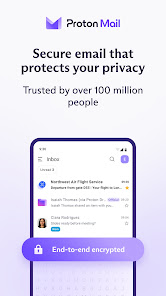
Proton says mail between Proton users is end-to-end encrypted, while its inbox uses zero-access storage encryption. If you send to a recipient on another provider, use the app's password-protected email option when that level of protection is required and share the password through a separate trusted channel. Simply choosing a Proton address does not force a non-Proton recipient's entire mail system to adopt Proton's encryption. This distinction matters more than a generic “secure mail” label when you are sending private documents.
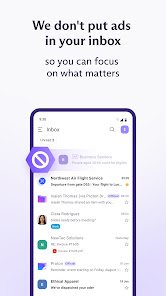
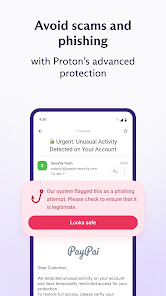
The Play page says the open-source app uses OpenPGP and has been independently audited. It also says there are no ads, inbox scans for advertising or AI training on mail content. Those are Proton's published claims; YouxiSky has not audited its servers or your account configuration. Protect the sign-in and recovery methods on your own device, and do not treat encryption as a substitute for checking a recipient address or spotting a phishing message.
Organize and use the inbox on Android
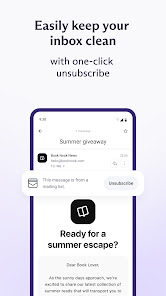
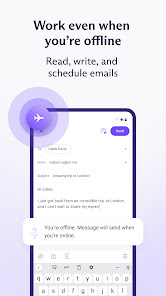
Folders, labels and swipe gestures help separate mail that needs action from reference material. Proton also advertises private categories to keep important messages in focus. A practical setup is to choose a small number of labels for ongoing work, then configure a swipe action you can remember. Creating too many categories at once can make an inbox harder to use rather than easier. The app says you can read, compose and organize while offline; those changes synchronize after reconnection. Do not assume a newly written offline message was delivered until the app confirms it has synced.
Multiple Proton accounts can be switched inside the app according to the listing. The store also describes Easy Switch for importing or forwarding mail from another service and a way to connect a Gmail address. Before moving a long-standing mailbox, decide whether you are importing historic messages, forwarding new mail, or continuing to send from the old address. These are different workflows with different expectations. Test a small set of messages before changing account notices or two-factor recovery addresses.
Free storage, aliases and paid choices
The current Google Play description says a free Proton Mail account can reach up to 1 GB of email storage, and Mail Plus up to 15 GB. “Up to” is a limit statement, not a guarantee that every new account starts with the full amount without completing any requirements. It also mentions up to ten free hide-my-email aliases created on the web, forwarding to your inbox and removable later. If an alias or custom domain is central to your plan, verify its current account and regional conditions on Proton's official pricing page.
Proton says paid subscribers fund the free plan, and upgrades add storage, addresses and custom domains. In-app purchases are listed on Google Play. Before paying, compare the actual storage you need, whether you need multiple addresses, and whether the recipient-facing encryption workflow fits your contacts. Buying capacity will not correct an old email address entered incorrectly or a phishing link you choose to open.
Proton Mail or a familiar mainstream inbox?
Gmail may be a simpler fit for someone deeply invested in Google's account and collaboration tools. Proton Mail prioritizes private storage and a separate encrypted-mail workflow. The comparison is about which trade-offs you want: ecosystem convenience, migration effort, storage, and how you communicate with people outside Proton. Neither service should be represented as universally safer for every user or as automatically transferring your old address. More options are in communication apps.
Questions before switching email
Are emails to non-Proton users end-to-end encrypted by default?
The Play listing specifically highlights end-to-end encryption between Proton users and separately offers password-protected messages to anyone. Do not assume an ordinary email to another provider has the same end-to-end property without using an appropriate feature. Check the current compose options when the message is sensitive.
Can I write mail without internet access?
Proton advertises offline reading, writing and organization, with changes synced once you are online again. That is useful during travel, but a draft created offline is not proof of delivery. Reconnect and check that the queued action completed before relying on a time-critical message.
Do I need a paid plan?
A free address and storage are offered. Paid plans add more capacity and options such as additional addresses or custom domains. Compare the live plan page with the size of your current mailbox and the exact feature you need; “encrypted” is not a reason by itself to buy a larger plan.
Editorial take
Proton Mail is a considered choice for someone willing to learn the difference between encrypted Proton-to-Proton mail and a message to an external provider. Its offline inbox, migration options and free entry point lower the barrier, while storage and account extras may require payment. This is an assessment of Proton's published features, not a hands-on security audit or a guarantee about every recipient's provider.
Official source: Proton Mail on Google Play. Store information checked October 29, 2026.
App information
- Title
- Proton Mail: Encrypted Email
- Category
- Communication
- Platform
- Android
- Download
- Open link