Bitwarden Password Manager
App preview
Images supplied with this app listing.
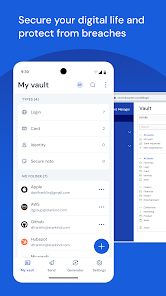
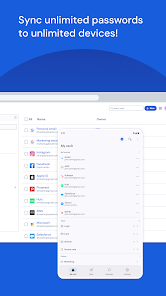
Bitwarden Password Manager is a free-to-install Android password and passkey manager from Bitwarden Inc. Its central idea is to use a different strong credential for every service, then keep those credentials in an encrypted vault instead of memorizing or reusing them. The Google Play listing says the free tier supports unlimited passwords and passkeys across unlimited devices, while advanced features are available through paid plans. That makes the first decision straightforward: choose a strong master password and an account recovery plan before importing everything into a new vault.
What belongs in the vault?
Bitwarden can generate and store unique passwords and usernames. It also advertises passkey creation, storage and sync through the Android app and browser extensions. A passkey is not simply a shorter password to type: it is a different sign-in method supported by a site or app. Confirm that the service you use supports passkeys before replacing an existing login workflow, and keep access to your vault secure during the transition. Start with a few accounts, test sign-in and autofill, then expand rather than moving every important credential in one sitting.
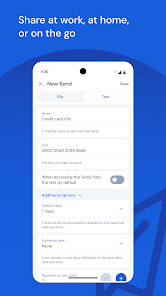
The Play description mentions Bitwarden Send for sharing information with limited exposure. That is distinct from giving someone your master password or sending a credential in an ordinary chat. Decide what the recipient needs, set any available restrictions and revoke access when it is no longer appropriate. For a family or team, check the current plan's sharing features and limits; business controls such as SSO, directory integration, policies and event logs belong to Teams or Enterprise offerings, not a promise about a free personal vault.
Autofill on Android requires a deliberate setup
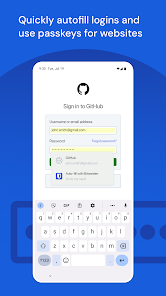
After installation, configure Android's supported autofill service and test it with a low-risk account. Bitwarden's store disclosure says it can optionally use the Accessibility Service to augment autofill on older devices or where normal autofill does not work. When enabled, that service looks for login fields and inserts credentials. Because it can inspect on-screen fields, do not grant it reflexively if the standard autofill route already works for you. Read the permission explanation on your own device and understand which websites or apps are receiving a credential.
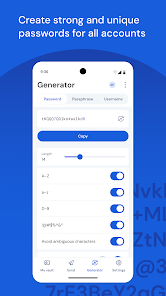
Successful autofill is only a convenience. Check the destination domain before approving a login; a password manager can supply the right secret to the wrong page if a user ignores context. Use the generator to replace reused passwords gradually, beginning with email and other accounts that control password resets. Turn on a second factor for the vault using an authenticator or a supported security key where appropriate. Bitwarden lists these methods in its official description, but availability can depend on account settings and plan.
Free tier versus premium and team features
Bitwarden says the personal free tier has no ads and does not sell data, with unlimited credentials and device sync. Premium plans add advanced features, while Teams and Enterprise include administrative controls such as SSO, self-hosting options, directory integrations and audit logs. Do not infer that a business feature is included merely because the Android download button says Install. Review the current pricing and plan matrix before moving a workplace vault or paying for a family feature.
The store describes end-to-end encryption and third-party audits. Those are developer claims and process signals, not a guarantee that an exposed master password or unlocked phone is harmless. Protect the recovery information, keep your device updated and review account sessions after a suspected compromise. A manager reduces password reuse risk but cannot make a fraudulent site legitimate.
Bitwarden compared with browser-saved passwords
A browser such as Google Chrome can save sign-ins for its own ecosystem. Bitwarden is a separate vault designed to work across browsers and devices, with explicit sharing and passkey tools. The trade-off is an extra account and a more deliberate setup. If you already use one browser everywhere, compare whether those additional controls justify moving. If you switch browsers or share a household vault, the independent manager may fit better. Browse other productivity apps for adjacent tools.
Questions before moving passwords
Is the free version limited to a few passwords?
The current Google Play description says the free tier supports unlimited passwords and passkeys across unlimited devices. That does not mean every premium sharing, business or advanced security feature is free. Check the live plan comparison for the feature you specifically need before paying or migrating a team.
Do I have to allow Accessibility Service?
Bitwarden says the service augments autofill on older devices or when normal autofill fails. It is not described as the only way to use the vault. Try Android's standard autofill path first, then decide whether the extra permission is warranted for your device and the apps where you sign in.
What if I lose access to the vault?
The store page does not give a universal recovery promise. Before relying on the vault, read Bitwarden's current account recovery documentation, secure your master password and set up the supported second factor carefully. Do not store the only copy of your recovery information inside the vault you might be unable to unlock.
Editorial take
Bitwarden is attractive for people who want distinct credentials across devices without a small free-vault cap. The value comes from using the generator, verifying domains and maintaining account recovery, not just installing the icon. The optional accessibility permission and paid team features deserve a careful look. This is a review of published functionality, not a security audit by YouxiSky.
Official source: Bitwarden Password Manager on Google Play. Store information checked October 29, 2026.
App information
- Title
- Bitwarden Password Manager
- Category
- Productivity
- Platform
- Android
- Download
- Open link